
The OXBAR Astro Maze Vape is one of the most advanced disposable devices on the market, combining long-lasting performance with customizable features. Whether you’re new to vaping or an experienced user, understanding how to set up, use, and maintain an OXBAR Disposable Vape is essential for getting the most out of it. In this complete guide, we’ll walk through the Astro Maze vape instructions step by step, including how to turn off Astro Maze vape, how to adjust airflow, and how to switch between Eco and Boost modes so you can enjoy a smooth and satisfying experience every time.
Unboxing and Understanding The Astro Maze Vape
The OXBAR Astro Maze is not your standard disposable vape. From the moment you open the box, it’s clear this device blends advanced technology with everyday ease of use. Inside, you’ll find:
- 1x OXBAR Astro Maze Device
- 1x USB Type-C Charging Cable
- 1x Instruction Manual
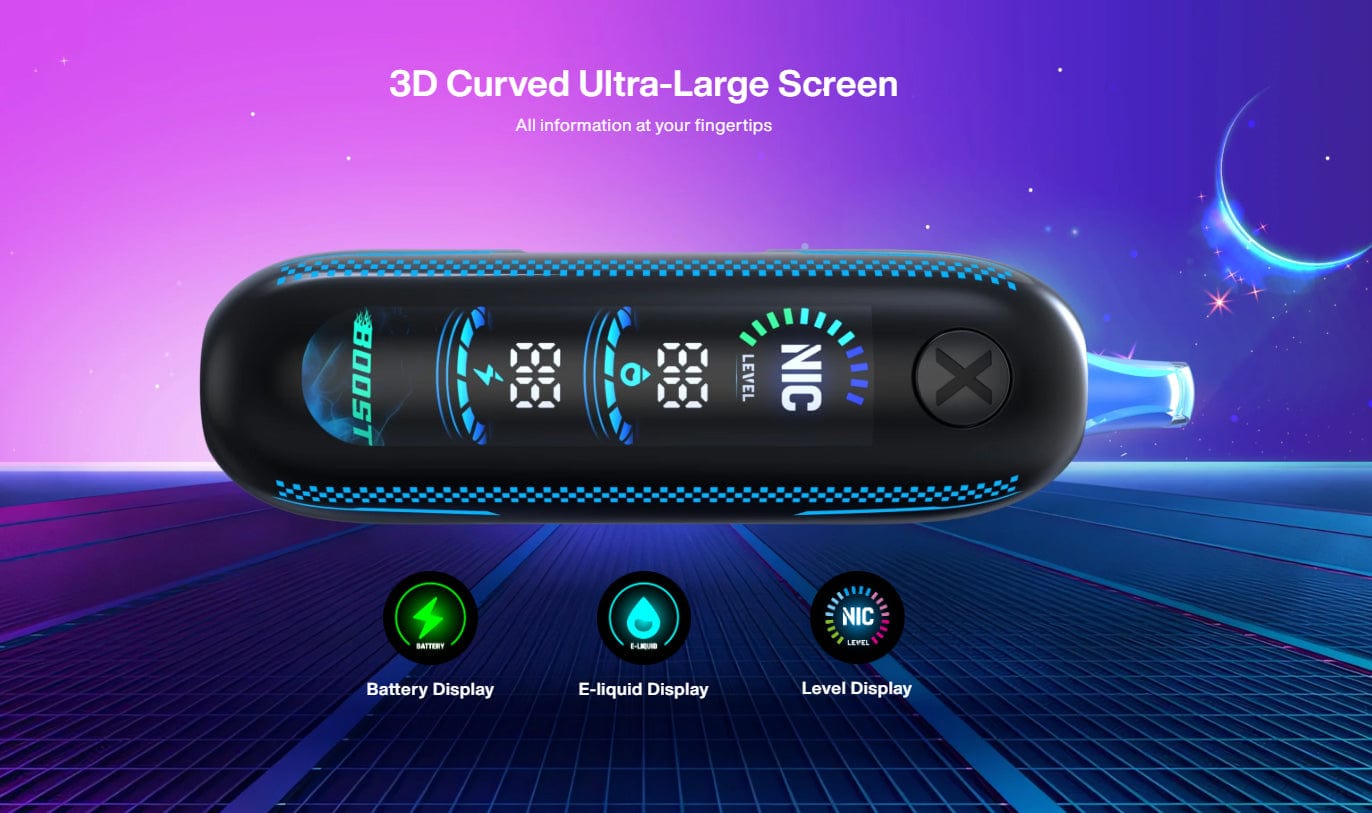
Unlike simple disposables, this unit offers long-term use and full customization. Its integrated 900mAh rechargeable battery, large prefilled e-liquid capacity, and up to 50,000 puffs set it apart from typical single-use devices. The sleek housing features a 3D curved screen, making it easy to keep track of everything from puff count to battery status.
Key highlights you’ll notice right away include:
- Draw-activated firing mechanism for button-free vaping.
- RGB lighting that gives the device a futuristic feel during each puff.
- Unione triple mesh coil for stronger flavor delivery and longer coil life.
- Soft bite-friendly mouthpiece that feels comfortable for extended sessions.
Before diving in, make sure you know the basics, especially how to turn off Astro Maze vape, as this is one of the most common first questions.
/**/
Setting Up the OXBAR Astro Maze Vape
Setup is designed to be simple, even with all the advanced features. Follow these steps for the best experience:
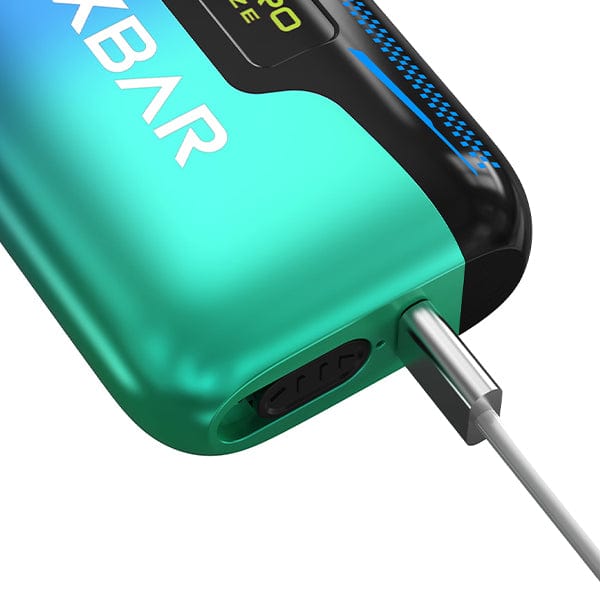
1. Charge the Device
- Connect the USB Type-C charging cable to the port.
- The battery indicator on the 3D curved screen will display charging progress.
- A full charge ensures maximum performance and prevents mid-day interruptions.
2. Power On the Device
- Press the main button five times rapidly.
- The screen will light up, and the RGB lighting may flash briefly to confirm activation.
3. Set Your Nicotine Level
The Astro Maze offers 5 adjustable nicotine levels, giving you full control over strength.
- Use the main button to cycle through levels.
- Choose a lower setting for smoother, lighter sessions.
- Select higher levels for stronger, more satisfying hits.
4. Adjust Airflow
- Locate the adjustable airflow control on the device.
- Slide to a tighter setting for a cigarette-like pull.
- Open wider for bigger clouds and airy draws.
5. Choose Your Mode
The device includes dual modes:
- Eco Mode (50,000 puffs): Best for long battery life and consistent flavor.
- Boost Mode (25,000 puffs): Delivers stronger vapor and more intense flavor.
Switching between modes is done by pressing the button three times quickly.
Quick Pre-Use Checklist
- ✔ Battery charged
- ✔ Nicotine level selected
- ✔ Airflow adjusted
- ✔ Desired mode activated
These steps cover the essentials if you’re looking for quick Astro Maze vape instructions.
Using the OXBAR Astro Maze Vape
Once you’ve set it up, using the Astro Maze is straightforward thanks to its draw-activated firing mechanism.
Taking a Puff
- Place your lips on the soft bite-friendly mouthpiece.
- Inhale steadily to activate the triple mesh coil.
- Exhale and enjoy dense flavor and vapor.
Monitoring Your Device
The 3D curved screen makes it easy to track everything:
- E-liquid level indicator – no more guessing when it’s time for a new one.
- Battery indicator – always know when to recharge.
- Puff counter – track consumption and reset as needed.
Switching Between Modes
- Eco Mode for efficient, everyday vaping.
- Boost Mode for stronger flavor bursts.
How to Turn Off Astro Maze Vape
- Quickly press the main button five times.
- The screen will turn off, confirming the device is powered down.
This prevents accidental firing and saves battery.
Pro Tips for Optimal Performance
To maximize the life and enjoyment of your OXBAR Astro Maze Disposable Vape, consider these tips:
Battery & Charging
- Recharge before the battery completely drains.
- The 900mAh battery paired with USB Type-C charging ensures fast recharging.
- Avoid leaving the device charging overnight to preserve battery health.
Flavor & Nicotine Control
- Experiment with the five adjustable nicotine levels to find your sweet spot.
- Use Boost Mode for flavor-rich sessions when you want maximum satisfaction.
- Keep airflow adjustments in mind:
- Tighter airflow = stronger throat hit
- Looser airflow = more vapor
Device Care
- Wipe the mouthpiece regularly for a clean draw.
- Keep dust away from the airflow vent.
- Store upright when not in use to prevent leakage.
Using Indicators to Your Advantage
- Watch the e-liquid level indicator so you never run dry mid-session.
- Check the battery indicator often to plan charging around your day.
- Reset the puff counter weekly if you’re monitoring usage.
Shortcut Commands Recap
- 5 clicks: Power on/off
- 3 clicks: Switch between Eco and Boost mode
- Hold button: Lock/unlock the device
Why Choose the OXBAR Astro Maze
So what makes the Astro Maze different from other disposables? It combines longevity, customization, and advanced design in one package.
Key reasons to choose it:
- Up to 50,000 Puffs: One of the longest-lasting disposables available.
- Rechargeable 900mAh Battery: Keeps you powered until the last puff.
- Dual Modes (Eco & Boost): Flexible use depending on your vaping style.
- Five Nicotine Levels: Rare customization for a disposable vape.
- 3D Curved Screen with RGB Lighting: A stylish, futuristic look paired with function.
- Triple Mesh Coil Technology: Enhances flavor, vapor, and consistency.
- Airflow Control + Comfortable Mouthpiece: A smoother, user-tailored vaping experience.
Conclusion
The OXBAR Astro Maze is more than just a disposable vape — it’s a feature-rich device designed to deliver both convenience and control. With its 50,000-puff capacity, dual modes, adjustable nicotine levels, airflow customization, and digital display, it bridges the gap between basic disposables and high-end pod kits.
Core things to remember:
- How to Turn Off Astro Maze Vape: 5 quick clicks of the main button.
- Astro Maze Vape Instructions: Charge, power on, set nicotine, adjust airflow, select mode, and inhale.
- Advanced Features to Use: Puff counter, e-liquid indicator, RGB lighting, and triple mesh coil for flavor consistency.
By learning how to properly set up and use this device, you’ll enjoy every session without hassle. Whether you’re in Eco mode for daily vaping or Boost mode for flavor-heavy clouds, the Astro Maze ensures you always have the experience you want in the palm of your hand.